Wordpress Password Generator
A quick to go tool for You to Calculate WordPress hash of a string. If you want to convert the text in to WP hash check the box below, enter the word you want to convert and also by clicking on Generate button completes.✨
Share on Social Media:
The Essential Guide to Creating Strong Passwords for WordPress: Protect Your Site 🔐
We live in a time where technology is everything, so securing your site is critical; one of the easiest and most
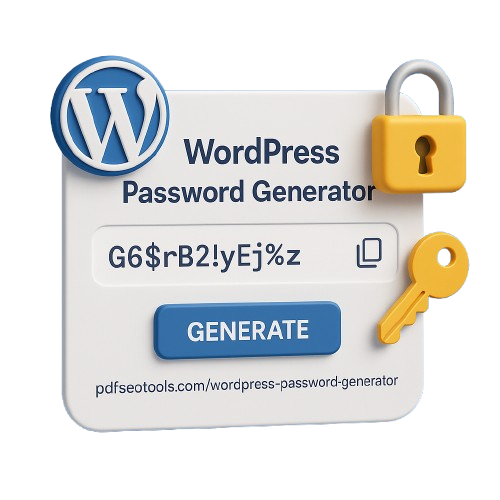
effective ways to secure your WordPress site is to use strong and unique passwords. 🔒
But let's be honest, creating passwords on our own can be a pain in the butt, right? 😬
That is where the WordPress Password Generator comes in! 🧠
In this article, we're going to look at the value of having strong passwords, how the generator works, and the right tool for creating instant uncrackable passwords! 🧩
Why Strong Passwords Are Essential for Your WordPress Security ⚠️
Weak passwords can easily fall victim to brute force attacks, phishing attempts, and credential stuffing. 🧨
If your WordPress admin/user account passwords are weak, in that case, your entire website is in danger. 💻
Common Risks Associated with Weak Passwords Are: 🚨
Unauthorized access to your WordPress dashboard 🔓
Malware Injection that leads to a defaced site 🦠
Data breaches that involve sensitive user info 📂
SEO penalties when Google flags your site as unsafe 🚫
The WordPress Password Generator helps take away all these risks by creating quality random passwords that are practically impossible to crack. 💪
How Does It Work? 🧪
The WordPress Password Generator employs sophisticated algorithms to create strong, complex passwords: 🔢
Uppercase and lowercase letters (A-Z, a-z) 🔠
Numbers (0-9) 🔟
Special characters (@, #, $, %, etc.) ✳️
You can set your own length (we recommend at least 12 characters) 📏
Password generators provide the best level of security since they’re designed by machines, while humans often slip up with simple passwords (like password123). 🤦♂️
Best WordPress Password Generator Tool 🛠️
For fast and trustworthy, good-for-the-pocket password generators, this is it:
WordPress Password Generator – PDFSEO Tools
✅ Instant Strong Passwords ⚡
✅ Customizable Length & Complexity 🎛️
No Installation Required 🚫💽
✅ 100% Free & Secure 🆓🔐
The tool can create uncrackable passwords in seconds and lighten your burden. 🪶
How to Use the WordPress Password Generator 📝
First, head over to the WordPress Password Generator Tool 🌐.
Next up, choose how long you want your password to be—aim for at least 16 characters to boost your security 📏
Next, decide which characters you would like to choose: letters, numbers, symbols, it's all good stuff 🔤
Next, simply click the yellow button that says "Generate Password" 🎲
And be sure to copy and record your new password where you can find it again! 💾
A helpful tip: Consider using a password manager, like LastPass or Bitwarden to keep track of all those generated passwords 🧷.
More Tips for Wordpress Security 🧯
- Enable 2FA (Two Factor Authentication) 🔑
- Limit Login Attempts using a plugin like Wordfence🚪
- Keep your Wordpress Core, Themes & Plugins updated frequently 🔃
- Use HTTPS (SSL certificate, allows secure connections) 🔒
Conclusion 💭
A Wordpress Password Generator is, without a doubt, a useful tool for any website owner 🛠️.
Stop using easily memorable temporary weak passwords, use a strong password that protects your site!